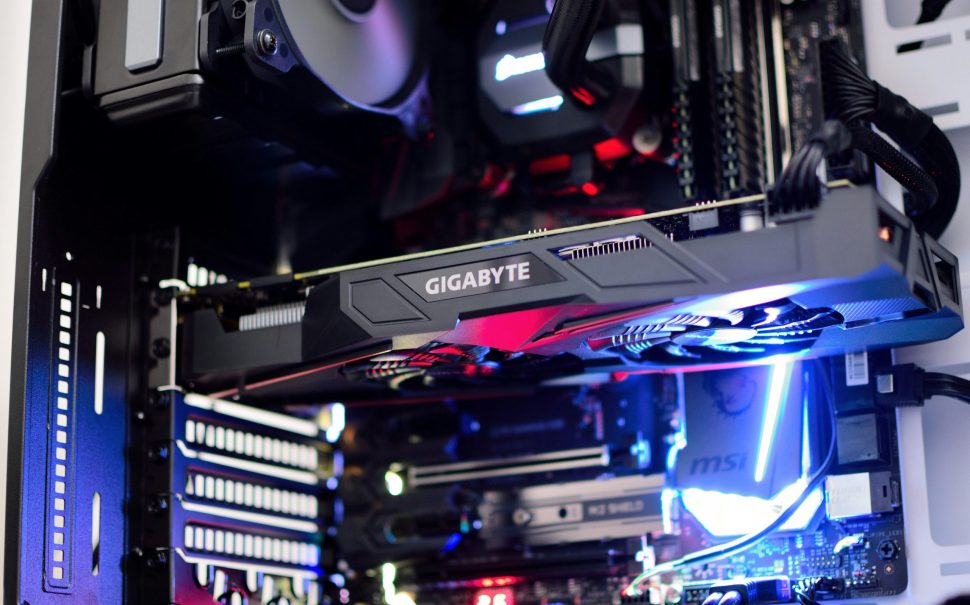
Graphics processing units (GPUs), which were originally developed for rendering visual content at high speed, have fundamentally reshaped the way scientists, engineers, and data professionals across numerous disciplines approach demanding computational tasks that require immense parallel processing power.
Although these processors were originally designed to render pixels on screen at remarkable speed, they now serve as the foundational backbone of modern high-performance computing (HPC), powering a wide range of demanding workloads.
Their architecture is specifically designed to process thousands of operations at the same time, which makes them perfectly suited for intensive workloads that would otherwise require days or even weeks to complete on traditional hardware.
Across the United Kingdom, research laboratories, financial institutions, and technology firms are, with growing frequency, turning to GPU-accelerated systems in order to address a wide spectrum of demanding problems, which range from complex climate modelling to the accelerated pursuit of drug discovery.
This article covers GPU strengths, CPU comparisons, and setup considerations.
How GPUs differ from CPUs at the architecture level
Core count and execution strategy
A central processing unit typically houses between eight and 64 cores, each engineered for sequential task execution.
These cores excel at handling complex logic, branching operations, and single-threaded workloads.
A GPU, by contrast, packs thousands of smaller cores onto a single chip. NVIDIA’s current data centre cards, for instance, feature over 16,000 CUDA cores.
This design philosophy prioritises throughput over latency: rather than completing one task very quickly, the GPU finishes many tasks at once.
When a workload can be divided into independent chunks, those thousands of cores process them in parallel, often yielding results orders of magnitude faster than a CPU-only approach.
For organisations that want to harness this power without investing in physical hardware, provisioning a cloud gpu instance allows rapid deployment of GPU-backed virtual machines tailored to specific project needs.
Memory bandwidth and data throughput
In addition to differences in core count, memory bandwidth represents another critically important architectural distinction that significantly separates GPUs from CPUs in terms of raw data throughput capability.
Modern GPUs depend on high-bandwidth memory (HBM), which is specifically designed to deliver data throughput that comfortably exceeds 2 TB/s, enabling the rapid movement of massive datasets to processing cores.
Even the most capable high-end server variants of CPUs, which represent the upper tier of general-purpose processing hardware available today, typically reach memory bandwidth figures that hover around only 200 GB/s, a figure that pales in comparison to what modern GPUs can deliver.
This substantial disparity between GPU and CPU memory bandwidth is enormously important for data-heavy calculations, since it directly determines how quickly massive datasets can be processed during demanding workloads.
Training a large neural network, running computational fluid dynamics simulations, or analysing genomic datasets are all tasks that require the continuous movement of vast amounts of data back and forth between memory and processing cores.
A GPU’s memory subsystem, which has been purpose-built specifically for this demanding data-access pattern, excels at feeding enormous volumes of data continuously to its thousands of processing cores, doing so without the severe bottlenecks and latency constraints that would otherwise throttle and significantly limit the performance of a CPU.
This leads to faster iteration cycles and quicker time-to-insight for both researchers and engineers.
Massive parallelism: The secret behind GPU performance gains
Why parallel processing matters for scientific workloads
Many scientific and engineering problems are inherently parallel.
Simulating weather patterns, for example, involves calculating atmospheric conditions across millions of grid points simultaneously.
Molecular dynamics, finite element analysis, and Monte Carlo methods follow similar patterns.
A GPU’s architecture maps naturally to these problems because each core can handle one grid point, one molecule, or one statistical sample independently.
The upshot is not just a marginal speed increase but a fundamental shift in what becomes computationally feasible.
Tasks that once required weeks on a CPU cluster can often be completed in hours on a multi-GPU node.
British universities and national laboratories already rely heavily on GPU clusters for cutting-edge research.
For those looking for authoritative research on HPC methodologies, leading academic institutions publish detailed findings on how parallel architectures drive scientific progress.
Real-world throughput comparisons
Benchmarks from 2025 and early 2026 paint a clear picture.
When it comes to double-precision floating-point operations, a single high-end GPU delivers roughly 30 to 40 teraflops of performance, while even a top-tier server CPU manages only around two to three teraflops by comparison.
When it comes to mixed-precision AI training workloads, which rely on lower-precision arithmetic to accelerate computation, the performance gap between GPUs and CPUs widens even further than in double-precision scenarios.
By employing specialised tensor cores designed for accelerated matrix computations, a single GPU card can achieve well over 1,000 teraflops of effective throughput in mixed-precision workloads.
These performance figures translate directly into real-world productivity gains, since a pharmaceutical company that runs protein-folding simulations can, within the same timeframe, test 10 times more candidate molecules than would otherwise be possible.
A financial services firm can calibrate risk models across wider parameter ranges, generating more reliable forecasts.
The multiplier effect of parallelism is not theoretical but measurable and well documented across many industries.
High-performance computing workloads that benefit most from GPU acceleration
Not every computational task benefits to the same degree from GPU acceleration, since some workloads are inherently sequential in nature and therefore cannot fully exploit the parallel processing capabilities that GPUs provide.
The greatest returns tend to appear in workloads that possess specific characteristics, particularly those involving highly parallel computations that can be distributed across thousands of processing cores simultaneously.
The following types of HPC applications gain the most significant benefits when migrated to GPU-backed infrastructure:
1. Deep learning model training: GPUs perform billions of matrix multiplications for large language and vision models at unmatched speed.
2. Computational fluid dynamics (CFD): Simulating airflow around vehicles or turbines solves equations across dense meshes in parallel.
3. Genomics and bioinformatics: Sequence alignment, variant calling, and population analyses require repetitive operations on massive datasets.
4. Financial risk modelling: Monte Carlo simulations run millions of concurrent scenarios for portfolio risk and options pricing.
5. Seismic data processing: Energy companies analyse subsurface geological data using GPU-optimized algorithms.
If your workload involves large-scale matrix operations, stencil computations, or embarrassingly parallel calculations, GPU acceleration will likely deliver a substantial speed-up.
You can stay informed about how technology shapes various sectors by browsing our latest coverage of technology and business developments.
Cost and energy considerations for GPU-driven infrastructure
Raw performance is only part of the equation. Operating costs and energy usage are key factors in infrastructure decisions for organisations expanding HPC capacity in 2026.
One GPU can replace dozens of CPU cores, reducing servers, rack space, and cooling needs.
Research conducted by several British data centre operators has demonstrated that GPU-accelerated clusters, when handling deep learning training jobs, consume between 40 and 60% less total energy than equivalent CPU-only configurations designed for the same workloads.
The financial argument extends even further when one factors in the considerable time savings that GPU acceleration provides, since completing a simulation in three hours instead of three days frees up both hardware and human resources, allowing organisations to redirect those assets toward other projects and priorities more quickly.
Cloud-based GPU provisioning introduces an additional layer to the cost discussion, since it allows organisations to rethink how they allocate resources and manage expenditure across their computing infrastructure.
Pay-as-you-go models allow organisations to deploy GPU nodes on demand, eliminating capital expenditure and depreciation costs of owning hardware.
Selecting the right cloud GPU setup for your HPC requirements
Choosing the appropriate GPU configuration depends on your workload profile, budget, and scalability needs.
Start by evaluating your application’s memory requirements. Some simulations demand 80 GB or more of GPU memory per card, while smaller inference tasks run comfortably on 16 GB models.
Next, consider interconnect bandwidth. Multi-GPU training jobs benefit from NVLink or InfiniBand connections that allow GPUs to share data without routing through the CPU.
For burst workloads, a cloud setup with auto-scaling capabilities avoids paying for idle capacity during quiet periods. British firms working with sensitive data should also verify that their cloud provider offers UK-based data centres with appropriate compliance certifications.
Finally, software compatibility matters. Ensure that your simulation codes, frameworks, and libraries support the GPU architecture you plan to use.
CUDA-based tools dominate, but OpenCL and SYCL offer vendor-neutral alternatives worth exploring for long-term portability.
Keeping track of shifts in cloud computing and GPU technology is easier when you follow current reporting on emerging tech trends from trusted sources.
Turning computational ambition into practical results
GPUs have evolved far beyond their original purpose of graphics rendering, since they now serve as powerful general-purpose processors that handle a wide variety of computationally intensive tasks.
GPUs provide superior throughput, bandwidth, and cost over CPUs. GPU-accelerated infrastructure shortens project timelines and expands what you can accomplish, from training language models to running financial simulations.
The key lies in matching your workload characteristics to the right hardware configuration and deployment model.
With cloud-based GPU options now widely accessible, British organisations of every size can tap into supercomputer-grade processing power precisely when they need it, paying only for what they use and scaling without friction as their ambitions grow.
Frequently Asked Questions
What are the most common mistakes when transitioning from CPU to GPU computing?
Many developers underestimate memory transfer overhead between host and device, which can negate performance benefits if data movement isn’t minimized. Another frequent error is attempting to parallelize algorithms with heavy branching or sequential dependencies that don’t map well to GPU architecture. Insufficient attention to memory coalescing patterns and thread divergence can also severely impact performance.
Where can I access GPU computing resources without purchasing expensive hardware?
Organizations looking to leverage GPU power without capital investment can utilize cloud gpu services that provide on-demand access to high-performance computing resources. IONOS offers scalable virtual machines with dedicated GPU access, allowing teams to provision exactly the computational capacity they need for specific projects. This approach eliminates hardware maintenance costs and provides flexibility to scale resources up or down based on workload requirements.
What programming languages and frameworks work best with GPU computing?
CUDA C/C++ remains the most direct approach for NVIDIA GPUs, offering maximum control and performance optimization. Python developers often prefer frameworks like CuPy, Numba, or PyTorch for machine learning applications, while OpenCL provides cross-platform compatibility across different GPU vendors. R users can leverage packages like gpuR or RcppArrayFire for statistical computing tasks.
How much budget should I allocate for GPU-accelerated computing infrastructure?
Entry-level workstation GPUs suitable for development and small-scale research start around £500-1,500, while professional cards for production workloads range from £2,000-15,000 depending on memory capacity and compute capability. Cloud-based solutions typically cost £0.50-5.00 per hour depending on GPU type, making them cost-effective for intermittent or project-based computing needs.
How do I determine if my specific workload will benefit from GPU acceleration?
Workloads with high parallelism, repetitive mathematical operations, and minimal branching logic see the greatest GPU performance gains. Problems involving matrix operations, image processing, Monte Carlo simulations, and neural network training typically achieve 10-100x speedups. If your code spends most time in nested loops processing independent data elements, GPU acceleration is likely beneficial.
Feature image: Free to use from Unsplash